

Supertrend Indicator for MT4: Settings, Strategy & Repaint Truth (2026)

- The Supertrend indicator for MT4 plots a single line under price in an uptrend and above price in a downtrend, flipping color when the trend changes. It is built from one calculation: ATR (Average True Range) multiplied by a factor, wrapped around price.
- The two settings that matter are the ATR period and the multiplier. The real default is 10 and 3 (often written 10/3). I use 10/3 on H1 and above, and tighten toward 14/2 only for scalping.
- The honest repaint answer: Supertrend only “repaints” on the current, unclosed candle while it is still forming. Once a candle closes, its line is fixed and never moves again. That is normal recalculation, not the deceptive kind.
- On its own it whipsaws in ranges. Pair it with a higher timeframe trend read or a momentum filter, and trade it only when the market is actually trending.
The Supertrend indicator for MT4 is a trend-following overlay that draws one ATR-based line beneath price when the trend is up and above price when the trend is down, flipping sides and color when the trend reverses. It is one of the cleanest visual trend tools in MetaTrader, and the version most people search for uses an ATR period of 10 and a multiplier of 3. Below: what it actually measures, the settings I genuinely use, the repaint truth most pages dodge, and a simple strategy you can test.
What Is the Supertrend Indicator (and How It Reads Trend on MT4)?
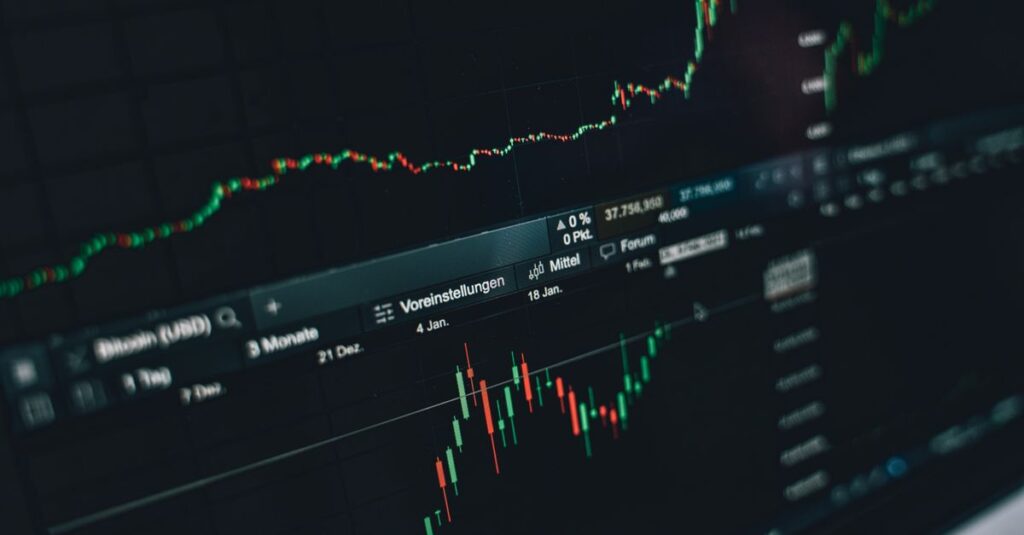
Supertrend is a single-line trend filter. Strip away the marketing and it is just price wrapped in a volatility band. The indicator takes the midpoint of each candle, then adds and subtracts a cushion sized by ATR. When price closes above the upper cushion, the trend reads as up and the line snaps below price. When price closes below the lower cushion, the trend flips down and the line jumps above price.
That is the whole machine. The core math in plain terms:
- Upper band = (High + Low) / 2 plus (ATR × Multiplier)
- Lower band = (High + Low) / 2 minus (ATR × Multiplier)
- The trend flips when a candle closes beyond the active band, and the line locks to the opposite side.
Because the cushion is built from ATR, the line breathes with the market: further from price in a volatile session so it does not eject you on every spike, tighter when things are quiet. (Investopedia has a clean grounding on how Average True Range works.) That is why Supertrend behaves better than a fixed-distance line in trends and worse in dead ranges.
I treat it as a clear answer to one question only, “which side of the market am I on right now?” It is one of my staple forex indicators for that reason, and it slots in beside the other trend tools in my MT4 indicator kit. It does not call tops or predict reversals. It reports the current trend, candle by candle.
The Real Supertrend Settings: ATR Period and Multiplier Explained
You only tune two numbers, and most pages that rank for this topic never even name them. So, specifically: the two inputs are the ATR period and the multiplier, and the genuine factory default in nearly every MT4 build is 10 and 3.
ATR period
How many candles the indicator averages true range over. A shorter period (say 7) makes the line react faster and flip sooner. A longer period (14 or 20) smooths the line and adds lag, cutting false flips but delaying the signal. Ten is the sweet spot the original author landed on, and it holds up across most forex pairs.
Multiplier
How far the band sits from price, the single biggest control over how the indicator feels. A higher multiplier (3 or 4) places the line further away, giving a trend more room and flipping less often. A lower multiplier (1.5 to 2) hugs price, flips quickly, and catches turns earlier at the cost of far more whipsaws.
- Bigger multiplier = wider line, fewer flips, you hold trends longer but give back more at the turn.
- Smaller multiplier = tighter line, more flips, earlier signals but a lot more noise.
Understand those two dials and you can adapt Supertrend to any pair or timeframe yourself, instead of hunting for someone else’s “secret” preset. There is no secret. There is volatility, and how much of it you want to absorb before the line moves.
Which Settings Should You Actually Use? (10/3 vs 14/3 vs Scalping)
The question everyone actually has: is it 10/3 or 14/3, and which should I run? Short answer: 10/3 is the true default and a solid baseline. The 14/3 you see floating around is just a slightly smoother variant some traders prefer for swing charts. Neither is “correct” in an absolute sense; they suit different speeds.
These are starting points to test on your own charts, not rules. The right value depends on your timeframe, the pair, and how many false flips you can tolerate.
| Trading style | Timeframe | ATR period | Multiplier | Behavior |
|---|---|---|---|---|
| Scalping | M1 to M5 | 10 to 14 | 1.5 to 2.0 | Fast flips, earliest signals, most whipsaw |
| Intraday | M15 to M30 | 10 | 2.5 to 3.0 | Balanced, fewer fakeouts than scalping |
| The classic default | H1 to H4 | 10 | 3.0 | The original 10/3, a sensible neutral baseline |
| Swing / smoother | H4 to D1 | 14 | 3.0 | Slower, smoother line, holds long trends |
My own habit: I leave it on 10/3 for H1 and above because that is what the line was designed for and it behaves predictably. I only drop the multiplier toward 2 when scalping a fast pair on M5, and even then I expect more noise and filter harder. If you remember one combination, remember 10/3.
Does the Supertrend Indicator Repaint? The Honest Answer
This is the question that gets dodged the most, so here is the straight version. Supertrend does not repaint on closed candles. It only updates on the current, unclosed candle. The word “repaint” gets thrown around loosely, and it covers two completely different things:
- Live recalculation on the forming candle. While the current candle is still open, its high, low and close keep changing, so the Supertrend value for that one candle recalculates until close. Every honest indicator does this. It is not deception, it is just live data.
- Repainting history after the fact. The deceptive kind, where an indicator redraws old, closed signals to make the past look perfect. Supertrend does not do this. Once a candle closes, its line value is locked forever.
So when someone says “Supertrend repaints,” what is true is the harmless first kind: a flip you see mid-candle can un-flip if price pulls back before close. The fix is the rule I apply to every signal tool: wait for the candle to close before you act. Confirm on the close and the “repaint” worry disappears.
If a permanently fixed signal matters to you, see how I define a genuine non-repaint indicator; the standard is exactly this candle-close lock, and Supertrend on closed candles meets it. It is also why I give away a free non-repaint arrow tool, my DeMARK Trend Line, for traders who want a marker that never moves after the bar closes.
A Simple Supertrend Strategy for Forex (Entry, Stop, Exit)

You do not need a complicated system. A clean Supertrend strategy follows the line and trades only with the trend on the close. A straightforward framework to test, not a guarantee of anything:
The setup
- Entry (long): the line flips from above to below price and the candle closes with the line below it. Enter on the open of the next candle.
- Entry (short): the mirror image. The line flips above price and the candle closes beneath it.
- Stop loss: place it just beyond the Supertrend line itself. It is already an ATR-based volatility level, so it makes a natural, breathing stop. If price closes back through the line, your reason for being in the trade is gone.
- Exit: let the line trail you. Exit when Supertrend flips against your position on a closed candle, or bank partial profit at a fixed risk-to-reward target and trail the rest.
The strength: the same line gives you entry, stop, and trailing exit, a complete self-contained trade manager. The weakness: in a sideways market those flips come thick and fast and chop you up, which is the next section. One note from my own screen time, I never trade the very first flip out of a long range, because that is the one most likely to be a fakeout. I wait for price to pull away from the line before I trust it.
Killing the Whipsaws: Filters and Confirmation That Actually Help
Every trend tool dies the same way: a flat, ranging market. When price drifts sideways, Supertrend flips back and forth and each flip is a small loss, the number one reason traders give up on it. The answer is not a magic setting, it is a filter that stops you trading when there is no trend. What genuinely helps, not vague “combine with other indicators” filler:
- Higher timeframe agreement. Only take H1 Supertrend longs when the H4 (or daily) Supertrend also points up. Trading in the direction of the bigger trend removes most of the worst whipsaws in one move. This is the single most effective filter.
- A momentum confirmation. Require a momentum tool to agree with the flip, for example only take longs when RSI is above 50 or when MACD is above its signal line. If momentum is dead, the flip is noise.
- An ADX or volatility gate. A trend-strength reading below roughly 20 means the market is ranging. Skip Supertrend signals when trend strength is weak and you skip most of the chop.
- Structure check. Don’t take a long flip into obvious overhead resistance, or a short flip into clear support. The line doesn’t know where the walls are. You do.
For confirmation specifically, a buy/sell tool that agrees with the flip can clean things up, and I cover the better ones in my roundup of buy and sell signal indicators. The principle stays the same: Supertrend tells you the direction, the filter tells you whether it is worth trading.
Best Timeframe for the Supertrend Indicator
Supertrend works on any timeframe but not equally well on all of them. The honest trade-off is signal frequency versus signal quality.
- M1 to M5: the fastest signals and the most fakeouts. Spread and noise eat a lot of these flips. Only worth it with a tight multiplier and a hard momentum filter.
- M15 to H1: in my experience the sweet spot for forex. Enough movement for real trends, slow enough that the flips are not pure noise. This is where I run 10/3.
- H4 to D1: the cleanest, most reliable flips, but few of them. Best for swing traders who want quality over quantity.
If you are newer to this, begin on H1 with the default 10/3 and watch the line for a couple of weeks before you touch anything. Lower timeframes punish mistakes faster, which is why most of the tools in my beginner indicator guide are meant for H1 and above.
Download and Install the Supertrend Indicator on MT4 (with Alerts)
Installing Supertrend is the same short path as any custom MT4 indicator: most versions ship as an ex4 file you drop into a folder. Free, well-built versions are widely available on the MQL5 code base, the safest place to grab MetaTrader code.
| Step | What to do |
|---|---|
| 1 | In MT4, click File, then Open Data Folder. |
| 2 | Open the MQL4 folder, then the Indicators subfolder. |
| 3 | Copy the Supertrend .ex4 file into that Indicators folder. |
| 4 | Restart MT4 or right-click the Navigator panel and choose Refresh. |
| 5 | Drag Supertrend from the Navigator onto your chart. |
| 6 | In the Inputs tab, set ATR period to 10 and Multiplier to 3, then click OK. |
Turning on alerts and mobile push
Most decent builds include an alerts option, so you do not have to stare at the chart waiting for a flip.
- Pop-up and sound alerts: in the Inputs tab, set the “Alert” or “EnableAlerts” option to true. MT4 pings you on every confirmed flip.
- Mobile push: go to Tools, Options, the Notifications tab. Tick “Enable Push Notifications” and paste your MetaQuotes ID from the MT4 mobile app (under its Settings, Messages). Then set the indicator’s push input to true.
- Email alerts: configure the Email tab under Tools, Options for flips in your inbox.
If install is new to you, my walkthrough on how to install an MT4 indicator covers every folder and pitfall. The same process applies to MT5, just with the MQL5 folder.
Multi-Timeframe (MTF) and Arrow Variations Worth Knowing
Two popular variations come up constantly, and both are genuinely useful once you know what they add.
Multi-timeframe (MTF) Supertrend
An MTF version displays a higher timeframe’s Supertrend on your current chart, so you can sit on M15 and still see the H4 direction in the corner. This is the higher-timeframe filter from earlier, automated, the cleanest way to enforce “only trade with the higher trend” without flipping charts back and forth.
Arrow variations
Some builds add a buy or sell arrow on the candle where the line flips, so you don’t have to spot the color change yourself. The arrow is cosmetic, it marks the exact same flip, but it makes signals easier to scan and to alert on. Just confirm the arrow version still locks on candle close and does not repaint history.
To go further, an MTF Supertrend reads naturally alongside the trailing-stop logic of the Chandelier Exit, since both are ATR-based and both shine as trade managers rather than entry triggers. A clean trend filter plus a clean volatility trail is most of what a sound mechanical forex system needs.
Frequently Asked Questions
Is the Supertrend indicator profitable on its own?
Used alone, Supertrend is a clean trend filter, not a complete system. It reads well in trending markets and gets chopped up in ranges, so trading every flip blindly gives back in sideways conditions what it gains in trends. It works far better with a higher-timeframe filter that limits you to flips in the direction of the larger trend. Treat it as one honest input and always test on your own charts.
What is the best Supertrend setting for a 5-minute chart?
On a 5-minute chart most scalpers tighten the line by lowering the multiplier to around 1.5 to 2.0 while keeping the ATR period near 10 to 14. That gives faster, earlier flips suited to short trades, but it also produces far more false signals, so a momentum filter like RSI above or below 50 is close to mandatory. Test it on a demo first, because M5 punishes loose settings and wide spreads quickly.
Can I get Supertrend buy/sell arrows and alerts on MT4 mobile?
The arrows themselves are drawn by the indicator on your desktop MT4 chart, and many builds include an arrow variation that marks each flip. For mobile, you enable push notifications under Tools, Options, Notifications on the desktop, paste your MetaQuotes ID from the MT4 mobile app, and switch the indicator’s push input to true. Then every confirmed flip pings your phone, even though the arrow is rendered on the desktop chart.
Is there a non-repaint Supertrend indicator for MT4?
Standard Supertrend already locks every signal once a candle closes, so when you act only on closed candles it behaves as non-repaint. The only movement happens on the live, unclosed candle, which every honest indicator does. If you specifically want a marker that is fixed the moment a bar closes, my free DeMARK Trend Line is built to that standard, and I cover the wider category in my non-repaint indicator guide.
Want a clean trend line that locks the moment the candle closes?
I built a free, non-repaint DeMARK Trend Line indicator for MetaTrader 4 and 5. It marks trend the honest way, never redraws closed signals, and costs nothing. Grab it and run it next to your Supertrend.
{“@context”:”https://schema.org”,”@type”:”FAQPage”,”mainEntity”:[{“@type”:”Question”,”name”:”Is the Supertrend indicator profitable on its own?”,”acceptedAnswer”:{“@type”:”Answer”,”text”:”Used alone, Supertrend is a clean trend filter, not a complete system. It reads well in trending markets and gets chopped up in ranges, so trading every flip blindly gives back in sideways conditions what it gains in trends. It works far better with a higher-timeframe filter that limits you to flips in the direction of the larger trend. Treat it as one honest input and always test on your own charts.”}},{“@type”:”Question”,”name”:”What is the best Supertrend setting for a 5-minute chart?”,”acceptedAnswer”:{“@type”:”Answer”,”text”:”On a 5-minute chart most scalpers tighten the line by lowering the multiplier to around 1.5 to 2.0 while keeping the ATR period near 10 to 14. That gives faster, earlier flips suited to short trades, but it also produces far more false signals, so a momentum filter like RSI above or below 50 is close to mandatory. Test it on a demo first, because M5 punishes loose settings and wide spreads quickly.”}},{“@type”:”Question”,”name”:”Can I get Supertrend buy/sell arrows and alerts on MT4 mobile?”,”acceptedAnswer”:{“@type”:”Answer”,”text”:”The arrows themselves are drawn by the indicator on your desktop MT4 chart, and many builds include an arrow variation that marks each flip. For mobile, you enable push notifications under Tools, Options, Notifications on the desktop, paste your MetaQuotes ID from the MT4 mobile app, and switch the indicator’s push input to true. Then every confirmed flip pings your phone, even though the arrow is rendered on the desktop chart.”}},{“@type”:”Question”,”name”:”Is there a non-repaint Supertrend indicator for MT4?”,”acceptedAnswer”:{“@type”:”Answer”,”text”:”Standard Supertrend already locks every signal once a candle closes, so when you act only on closed candles it behaves as non-repaint. The only movement happens on the live, unclosed candle, which every honest indicator does. If you specifically want a marker that is fixed the moment a bar closes, my free DeMARK Trend Line is built to that standard, and I cover the wider category in my non-repaint indicator guide.”}}]}

Forex educator and indicator developer. I build and trade my own MetaTrader tools, and share the ones that genuinely help.
Quick question, when you say wait for candle close, do you mean the signal candle itself closing or the next one? I always get confused on this part.
finally someone says the actual numbers lol
Solid write up. I run 10/3 on the 1h EURUSD and the higher timeframe filter point is exactly what fixed my whipsaw problem. I was taking every single flip on the 15m before and getting murdered in ranges. Now I only go long on 1h when the 4h line is also green and it cut my dumb trades right down.
Thanks, finally clear on the repaint thing. Every other page just says yes or no with no explanation.