

Chandelier Exit Indicator for MT4/MT5 – 100% Free Download

- A Chandelier Exit indicator for MT4 and MT5 is a volatility based trailing stop that hangs your exit a set number of ATR (Average True Range) below the highest high in an uptrend, or above the lowest low in a downtrend.
- The two settings that matter are the lookback period (usually 22) and the ATR multiplier (usually 3.0). Wider multipliers keep you in trends longer, tighter ones cut losers faster but get shaken out more often.
- It is built to trail, not to enter. Use it to hold a runner through normal pullbacks, not as a buy or sell signal on its own.
- The most common mistake is using it on choppy, range bound pairs where the volatility stop flips back and forth and bleeds your account with whipsaws.
A Chandelier Exit indicator places a trailing stop a multiple of ATR away from the most recent swing extreme, so your stop adapts to current volatility instead of a fixed pip distance. On MT4 and MT5 it draws a line under price in uptrends and above price in downtrends, and you exit when price closes through that line. It keeps you in trends and out of noise.
What the Chandelier Exit actually measures
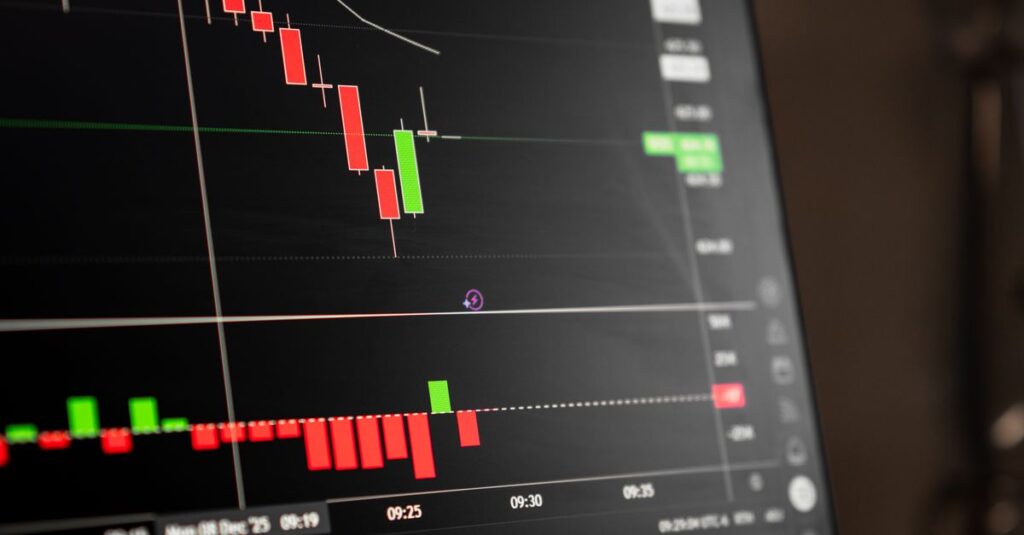
The idea is simple once you separate the two pieces. First it finds the highest high over a lookback window, say the last 22 candles. Then it subtracts a volatility cushion from that high. The cushion is the ATR multiplied by a factor, typically 3. The result is a line that “hangs” down from the peak like a chandelier hangs from a ceiling, which is where the name comes from.
- Long stop = Highest High (over N bars) minus (ATR × Multiplier)
- Short stop = Lowest Low (over N bars) plus (ATR × Multiplier)
Because ATR rises when the market gets volatile and falls when it calms down, the stop automatically gives a wild trend more room and a quiet trend less. That is the whole point. A fixed 30 pip stop is too tight in a fast news session and too loose in a sleepy range. The Chandelier Exit breathes with the market.
The two settings that control everything
You really only tune two inputs on most versions of this forex indicator. Understanding them is more valuable than any preset somebody hands you.
Lookback period (ATR and high/low window)
This is how many candles back the indicator scans for the swing high or low, and over how many candles it averages true range. A shorter period reacts faster and trails closer. A longer period is smoother and lags more, which protects the trend from premature exits.
ATR multiplier
This is the single biggest lever. It decides how far the stop sits from the swing extreme. A higher multiplier means a wider stop, more room to breathe, fewer shake outs, but a larger giveback when the trend finally turns. A lower multiplier locks in profit faster at the cost of getting tagged out by ordinary pullbacks.
Suggested settings by trading style
There is no single correct number. The right value depends on your timeframe, the pair, and how much giveback you can stomach. Treat the table below as starting points to test on your own charts, not as rules.
| Style | Timeframe | Period | ATR Multiplier | Behavior |
|---|---|---|---|---|
| Scalping | M1 to M15 | 14 | 2.0 to 2.5 | Tight, exits quickly, more whipsaw |
| Intraday swing | M30 to H1 | 22 | 3.0 | Balanced default, the classic setting |
| Position / trend | H4 to D1 | 22 to 30 | 3.5 to 4.0 | Wide, holds long trends, larger giveback |
| High volatility pairs | any | 22 | 4.0+ | Extra cushion for erratic spreads |
If you only remember one combination, it is the original: period 22, multiplier 3.0. That came from research on roughly 22 trading days in a month, and it remains a sensible neutral baseline before you adjust.
How it keeps you in a trend

The strength of a Chandelier Exit is that the stop only ever moves in your favor. In a long position, as price prints new highs, the line ratchets upward and never steps back down. So a strong trend pulls your protective level up behind it, locking in more and more open profit while still leaving enough slack that a normal pullback does not eject you.
- You ride the trend without staring at the screen guessing where to move your stop.
- You let winners run because the stop refuses to tighten arbitrarily.
- You hand the exit decision to volatility math instead of emotion, which is where most discretionary exits go wrong.
This is why I treat it as an exit tool, not a crystal ball. It will not tell you the trend has topped. It tells you the trend has broken its recent volatility envelope, and that is a far more honest signal than a hunch.
Common mistakes to avoid
Most traders who dislike volatility stops are using them in the wrong place or expecting the wrong thing. Here are the errors I see most often.
Using it as an entry signal
When the line flips from below price to above, that is a stop and reverse hint at best. On its own it generates far too many false flips. Pair the exit with a real trend filter or structure read for entries, such as one of the best buy and sell signal indicators for Forex.
Running it on a ranging pair
In a sideways market the swing high and low barely move, so the stop sits in the middle of the noise and gets clipped on both sides. The Chandelier Exit is a trend tool. Confirm there is a trend first, using something like Supertrend, an ATR-based trend line, before you trust it.
Optimizing the multiplier to perfection on past data
If you curve fit the ATR multiplier to one historical run, it will fail forward. Pick a robust value that works across several pairs and periods rather than the one that looked perfect last month.
Ignoring spread and slippage
A very tight multiplier on a low timeframe can place the stop inside normal spread movement, especially around news or rollover. Give the stop enough room to clear the noise floor of your broker’s spread.
Chandelier Exit versus other trailing stops
It helps to know where this tool sits among the alternatives so you choose the right one for the job, and our wider guide to the best MT4 Forex indicators covers the tools that pair well with it.
| Method | Adapts to volatility | Best for | Weakness |
|---|---|---|---|
| Chandelier Exit (ATR) | Yes | Holding trends through pullbacks | Whipsaws in ranges |
| Fixed pip trailing stop | No | Simple, predictable risk | Wrong size in changing volatility |
| Moving average trail | Partly | Smooth slow trends | Lags badly at turns |
| Parabolic style trail | Partly | Accelerating moves | Tightens too fast, exits early |
How to install it on MetaTrader

Adding any custom forex indicator to MetaTrader follows the same short path on both platforms, and if you are new to it our step-by-step guide to installing a custom MT4 indicator walks through every click.
- Open MetaTrader, click File, then Open Data Folder.
- Go into the MQL4 or MQL5 folder, then the Indicators subfolder.
- Copy the indicator file in (the ex4 file for MT4, the ex5 file for MT5).
- Restart MetaTrader or refresh the Navigator panel, then drag the indicator onto your chart.
- Set your period and ATR multiplier in the inputs tab and apply.
Always confirm the version you use is non repaint, and it is worth browsing our roundup of the best non-repaint indicators for MT4 and MT5 while you are at it. A repainting trailing stop redraws its past line after the fact, which makes a backtest look flawless and live trading feel like a different indicator entirely. If the line ever moves against you on closed candles, throw it out.
Frequently Asked Questions
What is the best Chandelier Exit setting for forex?
The classic and most reliable baseline is a period of 22 with an ATR multiplier of 3.0. From there, widen the multiplier toward 3.5 or 4.0 on higher timeframes and volatile pairs to hold trends longer, or tighten it toward 2.0 to 2.5 for scalping on lower timeframes. Test any change on your own pairs before trading it live.
Is the Chandelier Exit a buy or sell signal?
No. It is a trailing stop and exit tool, not an entry signal. The line flipping sides can hint at a trend change, but on its own it produces too many false flips. Use a separate trend filter or price structure for entries, and let the Chandelier Exit manage the trade once you are in.
Does the Chandelier Exit repaint?
A correctly built version does not repaint on closed candles. The stop line only moves in your favor and locks once a candle closes. If you see the historical line shifting after the fact, the version you have is unreliable, and any backtest it produces cannot be trusted.
Can I use the Chandelier Exit on MT4 and MT5?
Yes. The logic is identical on both platforms. The only difference is the file type, ex4 for MT4 and ex5 for MT5, and the folder it goes into (MQL4 or MQL5 Indicators). Settings and behavior are the same, so a strategy you build on one carries over to the other.
I built a free indicator that does exactly this.
It is my own enhanced DeMARK Trend Line indicator for MetaTrader 4 and 5. Non repaint, clean, and free. Grab it and try it on your charts.

Forex educator and indicator developer. I build and trade my own MetaTrader tools, and share the ones that genuinely help.
i actually prefer a moving average trail over this for slow trends, the chandelier shakes me out too early on EURUSD. but for gold it works better i agree
The part about ATR breathing with the market was the missing piece for me. I always wondered why my fixed stop felt wrong in news sessions.
thank you so much, been looking for a clear chandelier exit explanation for ages
Great point about not using it as an entry. I made that mistake for months and kept getting chopped up in ranges.
question about combining it, you say pair with a trend filter for entries, which one would you suggest goes best with the chandelier exit? a moving average or something like an adx?
super clear, bookmarked
is there an mt5 version of your demark indicator or only mt4? want to test the chandelier idea on both
Quick question, do you run this on the M30 or do you prefer H1 for intraday? im getting too many flips on the lower timeframes
For the high volatility pairs row you suggest 4.0+ multiplier. Would that be too wide for something like AUDUSD or is it mainly for the metals and indices?
does the lookback period change much between mt4 and mt5 or are the inputs identical? want to keep my settings consistent across both
For scalping you list 2.0 to 2.5 on M1 to M15. honestly i found 2.5 still too tight around rollover, the spread kept tagging me. bumped it to 3 and it settled down
good read but im not sure i agree that fixed pip trailing stops are always worse. on a calm range i find them more predictable and i dont get whipsawed the same way
finally an article that explains WHY period 22 and 3.0 are the defaults instead of just throwing numbers at me. the chandelier hanging from the ceiling analogy made it click
installed it following your steps, worked first try on mt4. now testing period 22 mult 3 on H1. cheers
saved this. the table by trading style is gold.
appreciate that you call it an exit tool and not a holy grail. too many sites oversell these indicators.
how do i make sure the version i download is non repaint? you mention it but how can a beginner actually check on the chart?
Thanks, really helpful breakdown!
downloaded the free demark indicator from your link, the chandelier section convinced me to give your tools a go. clean install thanks